
Sawadika Music Video AI
You land in the video instead of dancing next to it. Seven shots, a crew, a set that changes behind you, and the wai on the last beat.
- 1 photo in, 15 s out
- Seven-shot edit, not a loop
- No prompt to write
- No editing software
- $9.99 · one time
Try thisPet version — your cat or dog on the same seven cuts
Make your Sawadika Music Video video
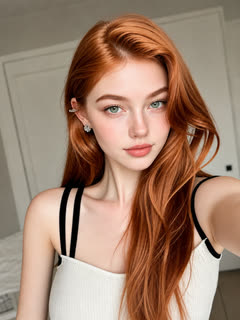
Your photo is the lead. The edits, the camera heights, the crew and the timing come from the reference video — there is nothing to shoot and nothing to edit.
Choose a template
We send the download link here. Your clips stay on this page either way.
AI-generated video. Results vary by photo. No real performer is depicted.
Video details & photo rules
- Output: 15s, 9:16, 768P, with the reference audio.
- One photo, one subject. Keep the face large, sharp and un-obstructed.
- No footage from the original music video is used.
- Renders in about 2–4 minutes. You can close the tab.
Your photo
Generated video
Sawadika Music Video AI — the clip the model follows
The same routine, the same camera and the same timing, with your photo as the subject. Results vary by photo.
One photo in. Your video comes out.
Cuts, not one long take
A new angle every two to three seconds, which is what makes it read as a video.
You are the lead
Face, hair and clothing stay consistent from the first shot to the last frame.
The set moves with you
Each shot has its own location and camera height, carried over from the reference.
One photo is enough
The crew, the set and the cuts are all part of the reference, not your input.
Three ways to do the Sawadika trend
Same fifteen seconds, same price. Solo Dance is one continuous take, My pet puts an animal in the routine, and this one is the cut version.
Solo Dance — One person, full routine, start to finish.
15 s outSolo Dance
One person, full routine, start to finish.
Make the Solo Dance →My pet — Your cat or dog does the whole routine.
15 s outMy pet
Your cat or dog does the whole routine.
Make the My pet →Music video — You land a seven-shot video, not a loop.
15 s outOn this pageMusic video
You land a seven-shot video, not a loop.
Keep this templateHow to make a Sawadika music video AI clip
- 01
Pick one clear photo
One person, face toward the camera. This template cuts to waist-up frames as well as full-body ones, so either works — what fails is a small or obscured face.
- 02
Generate the seven shots
Pay once and the cut version renders in about two to four minutes. Your photo drives every shot, and the edits come from the reference.
- 03
Post it as a video, not a loop
Download the 9:16 file and post it on TikTok, Reels or Shorts with #sawed. Cut edits get rewatched more than single takes — and label it as AI.
What this template gives you
- Input
- 1 photo (JPG, PNG or WebP, up to 10 MB)
- Output
- 15 second video, 9:16, 768p
- Structure
- Seven shots, roughly a cut every 2–3 seconds
- Framing
- Full body, medium and close — mixed across shots
- Other people in frame
- Yes — the crew comes from the reference video
- Set
- Changes between shots, as in the reference
- Ends on
- The wai, arms up in a V
- Typical render time
- 2–4 minutes
- Price
- One-time payment, no subscription
Sawadika Music Video AI vs a single-take dance clip
Both are the same fifteen seconds of Sawadika and cost the same. They are not the same video, and they do not reach the same audience.
| Music video (this one) | Solo Dance | CapCut template | |
|---|---|---|---|
| Structure | Seven shots, a cut every 2–3 seconds | One continuous take | Whatever the template ships with |
| Your framing | Mixed — full body, medium, close | Full body throughout | Fixed to the template body |
| Other people in frame | Yes — a crew from the reference | No, you are alone | Depends on the template |
| Set changes between shots | Yes | No, one location | Depends on the template |
| Choreography | Follows the reference, frame by frame | Follows the reference, frame by frame | Fixed, and you cannot re-time it |
| Best for | Reach — cuts get rewatched | The cleanest first attempt | Free, if you accept the fixed body |
If your goal is the highest reach, cut the edit. If your goal is the most faithful reproduction of the routine you memorised, take the continuous version.
One photo, one music video, one payment.
The same one-off price as the solo routine. What you are paying for is the edit, not the cost.
Refunds ↗One-time payment
$9.99/ video
- 15 seconds, 9:16 vertical, 768p
- Seven cuts, music video structure
- The original Sawadika audio track
- A download link, plus the clip in your order history
- One generation per payment
AI-generated video. Results vary by photo. No real performer is depicted.
Before you make your Sawadika music video
What is a Sawadika music video AI?
It is a generator that turns one photo into the cut, seven-shot version of the Sawadika video — multiple camera angles, a crew in the background, and the choreography running underneath. The routine is the same fifteen seconds you already know; what changes is the edit.
Is the music video version different from the dance version?
Yes. The Solo Dance template is one continuous take of the choreography. This one cuts between seven shots with different framings and a changing set. Both use the same choreography and cost the same, but they are different videos and perform differently on the feed.
Do I need to upload more than one photo?
No — one photo is the whole input. The crew, the set and every cut come from the reference video, so the only thing you supply is the lead.
Can I appear alongside other people?
Yes, and that is the point of this template. The reference has a crew in several shots, and they appear in yours too. You do not upload them and you cannot choose who they are.
How long does the render take?
About two to four minutes for fifteen seconds of video. Close the tab if you like — the finished file is on the order page when you come back.
Is this affiliated with LISA or the label?
No. This is an independent fan-made tool with no connection to LISA, LOUD or RCA Records. It does not use the released music video footage or the original recording — the choreography is re-performed from a reference video with your face on it.
What if my face changes between shots?
That is the usual weak point of any generated edit and it comes down to the photo. A sharp, front-facing, well-lit face holds up across cuts; a small, blurred or side-on face drifts. If you want the cut version to hold together, spend the extra minute on the source photo.
Can I turn this into a pet version?
Use the Pet Sawadika template instead — it runs on the same seven cuts with an animal in the lead. Switching templates costs the same and takes about the same time to render.
How much does one music video cost?
$9.99, paid once, with no subscription and no credits that expire. Every additional clip is another single $9.99 payment.
What resolution will I get?
768p at a 9:16 vertical aspect ratio, delivered as an MP4 you can download directly. It is sized for TikTok, Reels and Shorts rather than for a large screen.
What is the Sawadika music video AI format?
Sawadika Music Video AI is an image-to-video generator that puts one photo into the Sawadika music video format — a seven-shot edit rather than a single continuous take. Your face, hair and clothing carry through every cut while the camera, the crew, the set and the timing follow the reference video, ending on the wai from the original choreography. The result is a 15-second vertical 9:16 clip at 768p, and no footage from the released music video is used.
Where it started
The Sawadika music video was released on 4 September 2026 and its choreography spread on TikTok within days under the tag #sawed. Almost every early version was a single continuous dance clip. What separated the later versions from the originals was structure: a cut every two or three seconds, a different camera height each time, and other people in the frame. Sawadika Music Video AI builds that cut version.
Sawadika Music Video AI and the other two templates
How to make a Sawadika dance AI video, step by step
What the input has to look like, how long the render takes, and how to post the result.
Read the walkthrough ↗Why the cut version gets rewatched
What changed when the Sawadika edits stopped being one continuous take.
Read the breakdown ↗Pet Sawadika: the animal branch of the trend
Which photos of a cat or dog actually work, and why.
Read the guide ↗Sawadika music video AI questions, answered
Can I make an AI music video with my own face in it?
Yes. Upload one photo of yourself to a Sawadika Music Video generator and pay the single fee. The result is a fifteen-second vertical video with your face carrying through seven cuts, along with a crew and a changing set supplied by the reference.
How do I make a Sawadika music video rather than a dance clip?
Pick the Music video template instead of Solo Dance. The Music video reference is edited — new angle every two to three seconds — while the Solo Dance reference is one continuous take of the routine.
Is a seven-shot AI video better for reach than a single take?
Usually, yes. Cut edits give the viewer a reason to watch twice, and the rewatch is what the feed rewards. The continuous take is the more faithful reproduction of the choreography but has a shorter attention curve.
What resolution is a Sawadika music video?
768p at 9:16 vertical, delivered as an MP4. That is the format TikTok, Reels and Shorts expect, and it keeps the file small enough to download immediately.
How long does a Sawadika AI music video take to render?
About two to four minutes for a fifteen-second clip. You can close the tab while it renders; the finished file is on your order page when you return.
Can I put my pet in the Sawadika music video?
The Pet Sawadika template runs on the same seven cuts with an animal in the lead, which is why it exists as a separate template rather than as an option on this one.
Does the Sawadika music video AI use the original song?
No. It uses the reference video's audio, not the commercial recording. The original track stays with its rights holders, and this tool has no affiliation with them.
Is this connected to LISA?
No. Sawadika Music Video AI is an independent fan-made tool, not affiliated with LISA, LOUD or RCA Records. It uses no footage from the released music video.
What if my face looks different in some shots?
That comes down to the source photo rather than the template. A sharp, front-facing, evenly lit face stays consistent across cuts; a small, blurred or heavily filtered one drifts between them.
How much does a Sawadika music video AI cost?
$9.99 for one video, paid once, with no subscription. The three templates share the same price because they share the same render — only the reference video differs.
Get in the frame
One photo, one payment, seven shots of the Sawadika music video with you as the lead.
Make my Sawadika MV